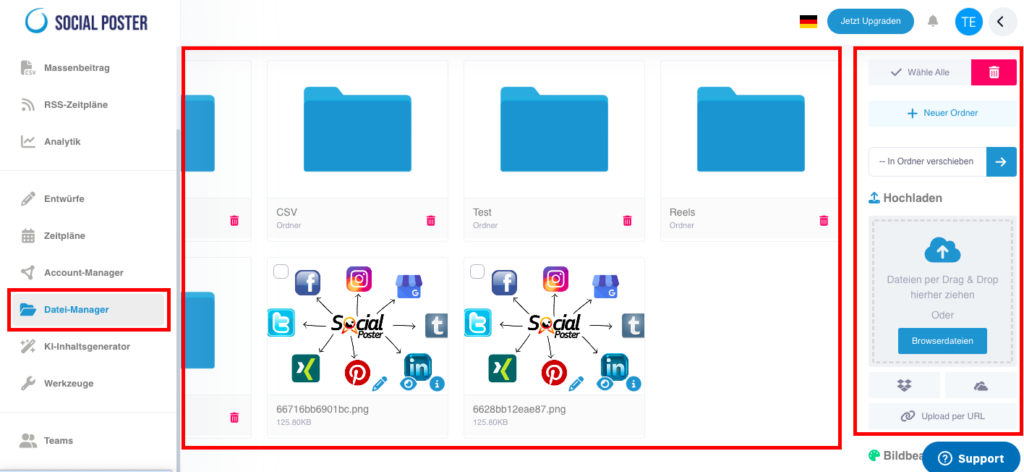
File Manager is the central tool for managing all media you have in your
Want to use social media posts. It offers clear organization and practical editing options for images, videos and other file formats.
10.1 What is File Manager?
- Definition:A central location within social posters where you can image,
Can manage videos, audio files, PDFs and other content. - Main benefits:
- Organization:Keep your media structured and handy.
- Efficiency:Paste files directly into posts without having to upload them each time.
- Editing:Customize media directly in the tool with the integrated image editing program.
10.2 Which files are supported?
File Manager supports a variety of file formats:
- Pictures:Jpeg, png
- Videos:Mp4, mov
- Audio:Mp3, wav
- Documents:Pdf, csv
10.3 How does File Manager work?
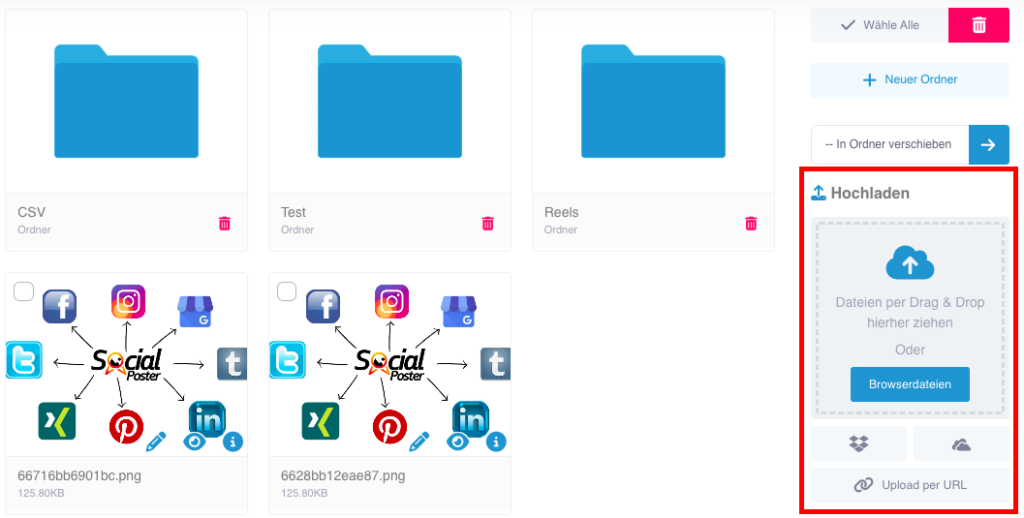
A. Upload files
- Direct upload:
- Upload files from your computer.
- Click on the Upload File button and select the one you want
files out. - Alternatively, you can drag and drop files into File Manager.
- External sources:
- Access content from Dropbox, OneDrive, or from a URL.
- Click Add External Source and log in to the respective platform to import files.
B. Organize files
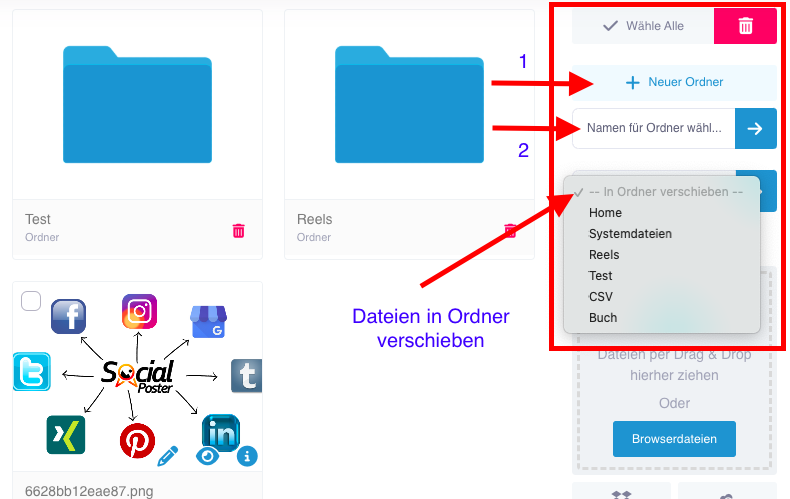
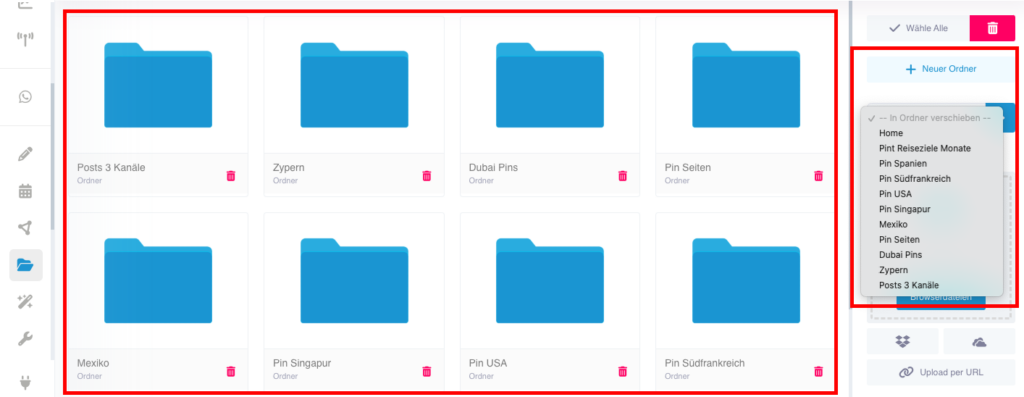
- Create folders:
- Create folders to sort media thematically (e.g. B. Product photos, videos for Campaign X).
- Rename folders or move files between folders.
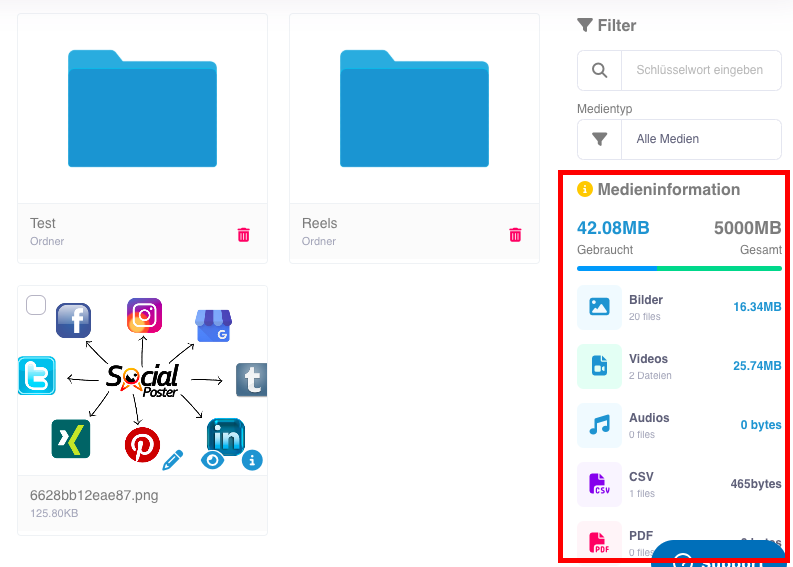
- Manage storage:
- The file manager shows the total available space and the
memory currently used. - Delete files that are not needed to make room. Never delete files for posts that are pre-scheduled, otherwise they won’t be posted. Already published posts whose content can be deleted, unless they are interval posts that are published multiple times.
- The file manager shows the total available space and the
C. Edit files
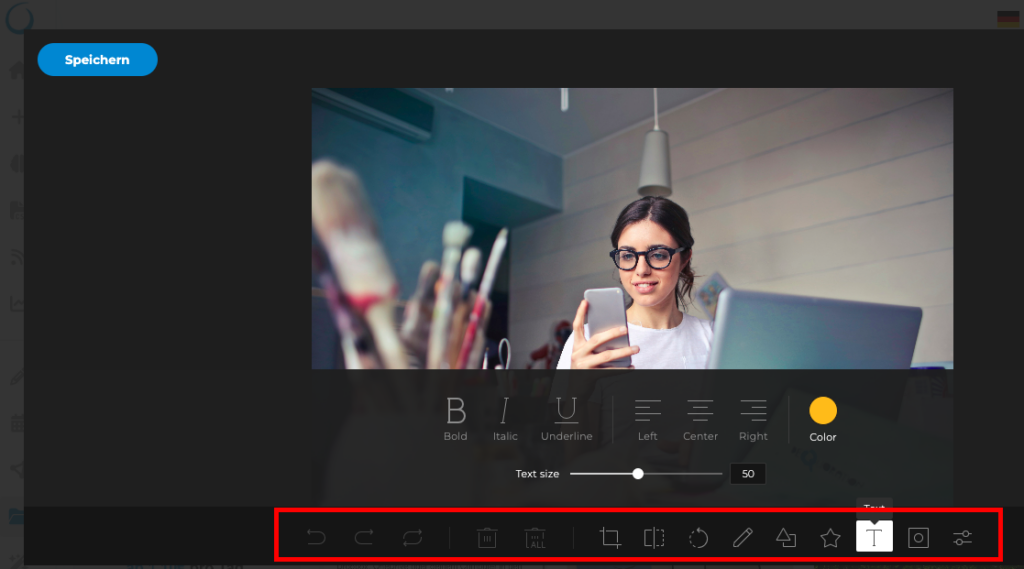
- Image editing:
- Open images with a built-in editor.
- Editing options:
- Crop, scale and rotate.
- Apply filters and color corrections.
- Add text, graphics or logos.
- Save changes directly to File Manager.
- Video preview:
- Play videos directly in File Manager to check their contents.
10.4 Advanced functions
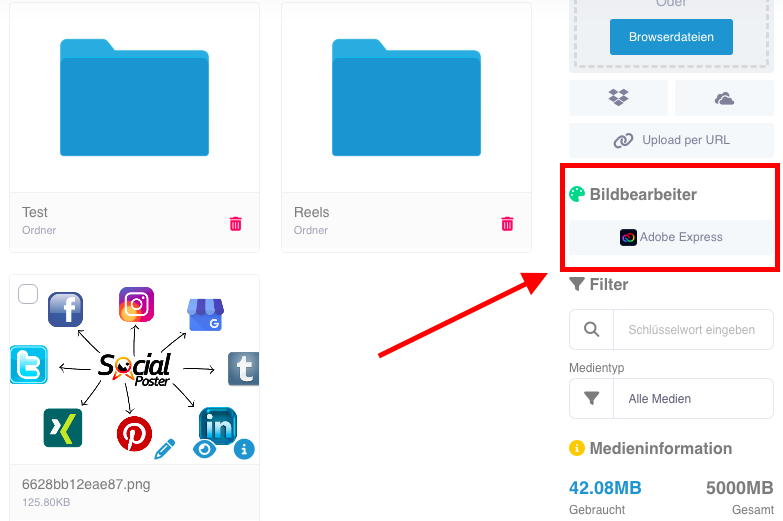
- Adobe Express integration:
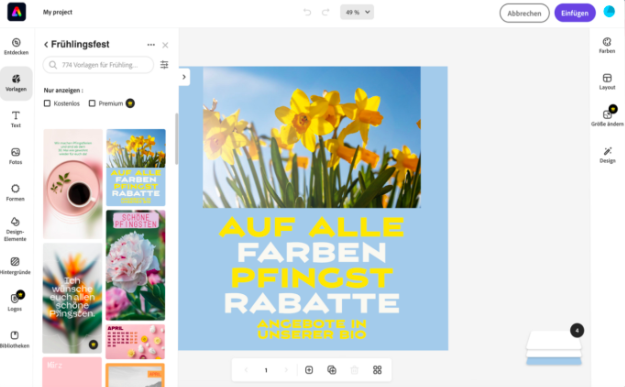
- Edit images or videos directly from Adobe Express and save the results in File Manager.
- Create professional graphics or animated content, videos, reels and stories
- No paid Adobe Express account is required, it can also be used with the free one. However, a free Adobe Express account should be created to save the graphics, images or videos created in the Social Poster File Manager.
- Show metadata:
- Check file information such as file size, resolution, and creation date.
10.5 Common use cases
- Campaign management:
- Collect all media for a specific campaign in a folder, e.g. B. Christmas campaign.
- Teamwork:
- Provide team members with access to files they need without having to share them via email.
- Fast processing:
- Edit images or videos directly in the tool to save time.
- Content recycling:
- Save frequently used media to reuse in future posts.
10.6 Benefits of File Manager
- Efficiency:Media is uploaded once and can be
be reused. - Organization:Clear folder structure for a better overview.
- Creativity:Integrated editing tools enable professional adjustments directly in the tool.
- Storage management:Keep track of your available resources.
10.7 Tips for optimal use
- Clear folder structure:
- Create folders based on campaigns, platforms, or periods.
- Regular cleaning:
- Delete outdated or unnecessary files to free up space.
- Add watermarks:
- Use the editing options to place logos or text as watermarks on images and videos.
- Adobe Express integration:
- Use Adobe Express for more complex edits and save the results directly to File Manager.
10.8 Frequently Asked Questions
- How much storage space is available to me?
- The available space depends on your social poster plan and appears in File Manager.
- Can I recover files if I deleted them?
- Deleted files cannot be recovered. Check them carefully before deleting.
- Can I share files with my team?
- Yes, files in File Manager can be used by team members who have access to the project.
- Which formats does Adobe Express support?
- Adobe Express supports editing popular formats such as JPEG, PNG, and MP4.
10.9 Practical examples
- Marketing team:Organizes images and videos for a new product campaign
in a folder and edits them with Adobe Express. - A social media manager:Uses File Manager to create visual content for
Provide regular contributions quickly. - A content creator:Saves frequently used templates for Instagram stories
and adjust them as needed.
10.10 Benefits for companies
- Agencies:Manage the media of multiple customers centrally and organize them into
separate folders. - E-commerce:Upload product images and videos to reuse for different campaigns.
- Content Creator:Keep all your media clear in one place and save time when creating content.
The file manager in social poster is a powerful tool to make media efficient
organize, edit and prepare for social media posts. With Adobe Express integration and advanced editing capabilities, it offers a perfect combination of functionality and creativity.
Schreibe einen Kommentar