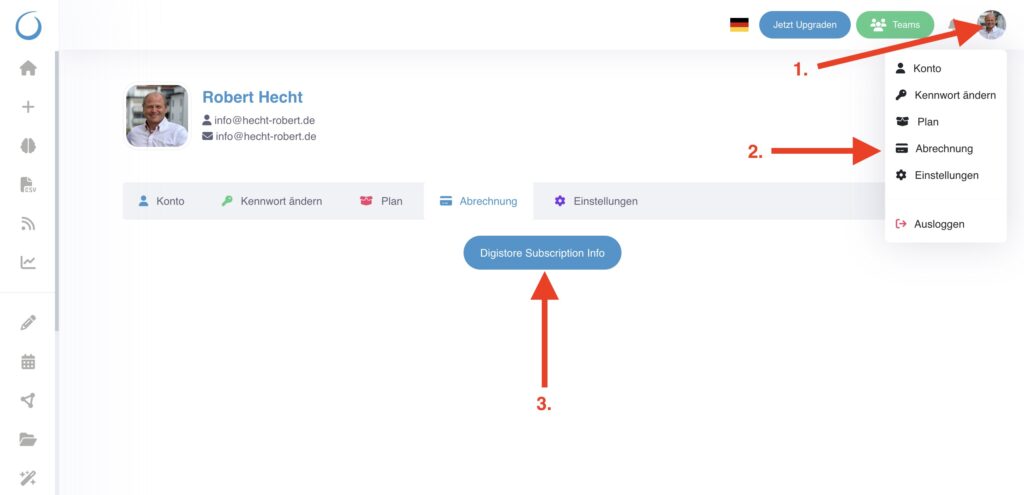
- Click on your profile picture in the top right.
- Click Billing in the menu
- Click on the blue button „Digistore Subscription Info“
- Click on the yellow button „Show invoices“ on the next page
 Here you will find all invoices.
Here you will find all invoices.
Schreibe einen Kommentar