Connect LinkedIn to social posters
How do I connect my LinkedIn profile to social posters?
Introduction
LinkedIn is the leading social network for professional contacts, businesses and B2B marketing. It enables professionals and businesses to connect, share content, and reach potential customers or partners. By integrating LinkedIn with social posters, you can automate and control your corporate communications in a targeted manner.
1. Benefits of connecting with social posters:
✔ Automatically post to your private LinkedIn profile and LinkedIn business page
✔ Planning of contributions in advance
✔ Unified content strategy across multiple channels
✔ Time savings through automation
2. Requirements
Before you can connect your LinkedIn account to social posters, make sure you meet the following requirements:
✅You must be administrator of LinkedIn profile and LinkedIn page.
✅You need to give social posters the necessary permissions.
Note:LinkedIn currently does not allow direct messaging through third-party tools.
3. Step-by-step instructions for connection
How to connect your X account to social poster
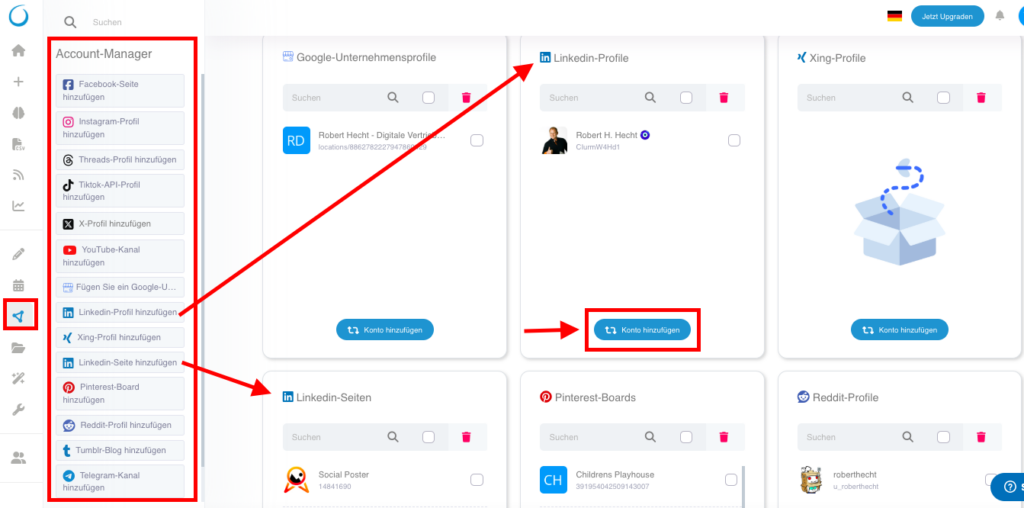
Sign in to Social Poster and navigate to the Account Manager.
Click Add LinkedIn profile from the account list on the left or click Add Account in theLinkedIn profilesField right. AtLinkedin pagesIt is the same procedure.
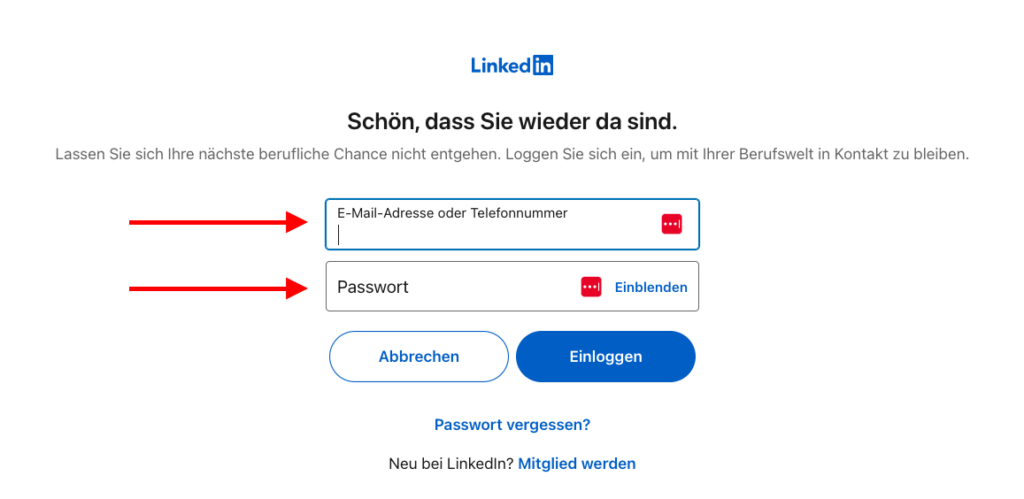
You will be redirected to LinkedIn.Log in with your LinkedIn account,If you haven’t done that yet.
LinkedIn will show you an authorization request.Confirm all necessary permissions,So that social posters can post for you.
Select the Linkedin profile or theLinkedIn Company pageWhat you want to connect to social posters. Click onConfirmationThe connection is now established!
4. Possible problems & solutions
❌Error message: Company page not found
➡Solution:Make sure you are administrator of the company page and social posters have been granted all necessary permissions.
❌Contributions will not be published
➡Solution:Check that your LinkedIn account is still connected and if you have granted API access rights correctly.
❌Connection is regularly disconnected
➡Solution:LinkedIn requires re-confirmation after a certain period of time. Log in again in to social posters and reconnect. We will send you an email if the connection is disconnected and it will be in your account manager.
❌Error message: Permissions missing
➡Solution:Check that you have admin permissions for the linked LinkedIn page and all requested permissions have been granted.
5. Special hints
Interactions such as likes, comments or direct messagescannot be automated.
External links in LinkedIn postsOften have a shorter reach – use them sparingly or use a comment strategy.
Regular connection renewal requiredLinkedIn uses security measures for third-party tools.
Tip:If you manage multiple LinkedIn corporate pages, you can also connect them to social posters and manage them in the dashboard.