Wie können wir Ihnen helfen?
contribution
The Post section is the central tool of social poster that allows users to create, customize and publish social media content. Here you can use different types of posts to present your brand professionally and address your target group effectively.
2.1 Overview of post types
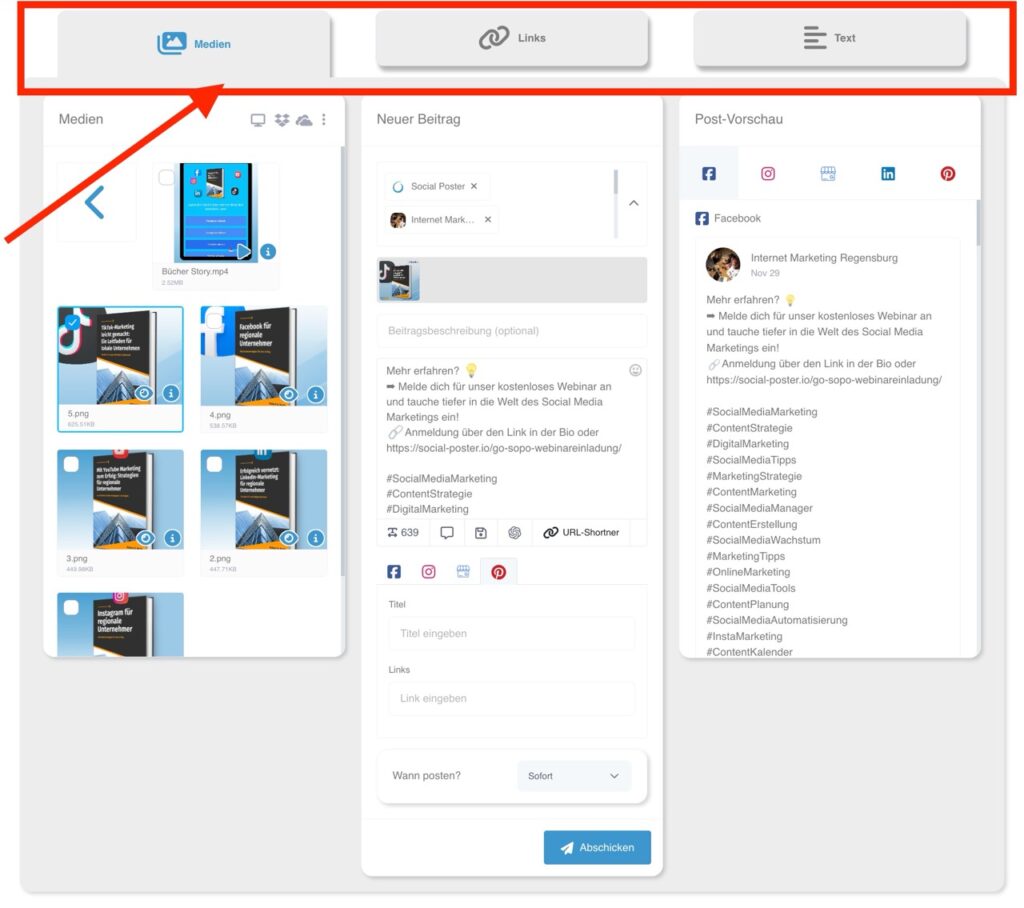
In the menu item „Contribution“ you have three main types available:
- Media post:
- Posts with images or videos as a central visual element.
- Supports popular file formats such as JPEG, PNG and MP4.
- Ideal for visual storytelling and product presentations.
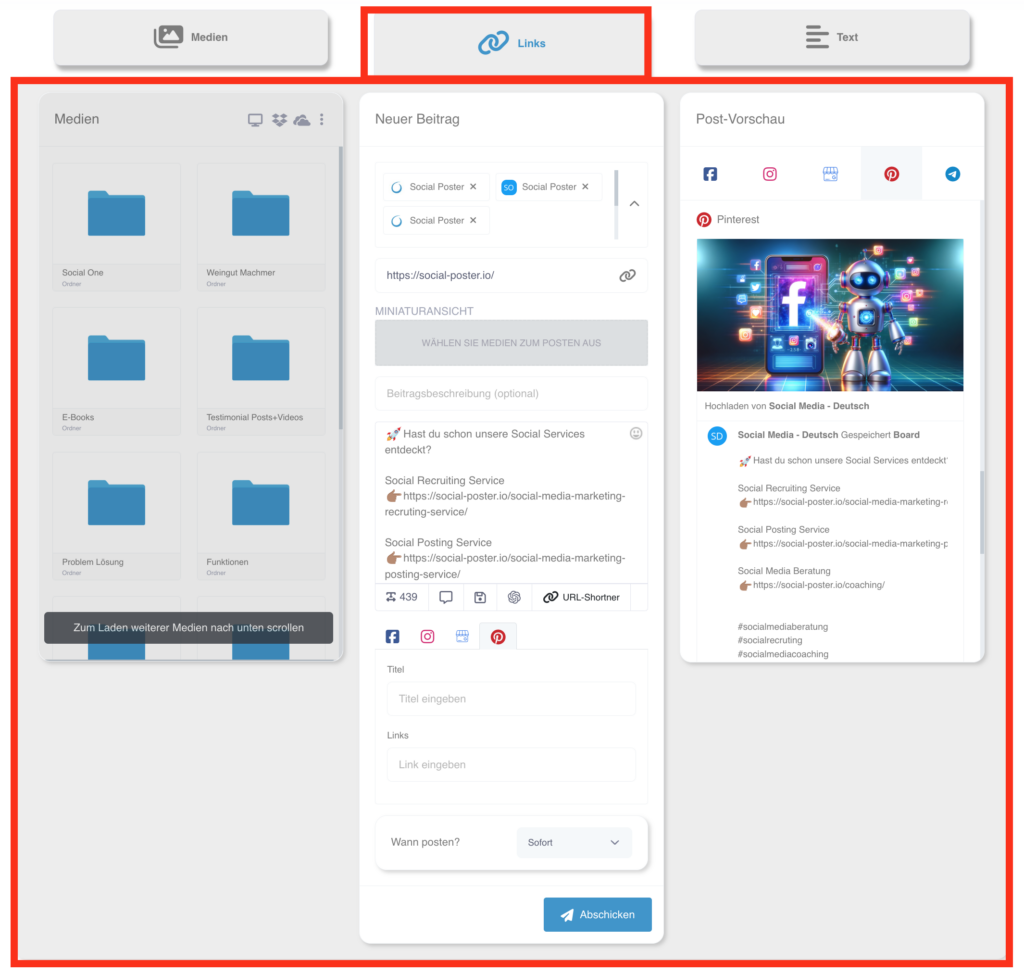
- Linkpost:
- Posts that contain a direct link to external resources.
- Automatic preview generation with title, image and description.
- Perfect for blog articles, landing pages or important corporate updates.
- The advantage here is that, for example, the image can be clicked on and the interested party is guided directly to the link.
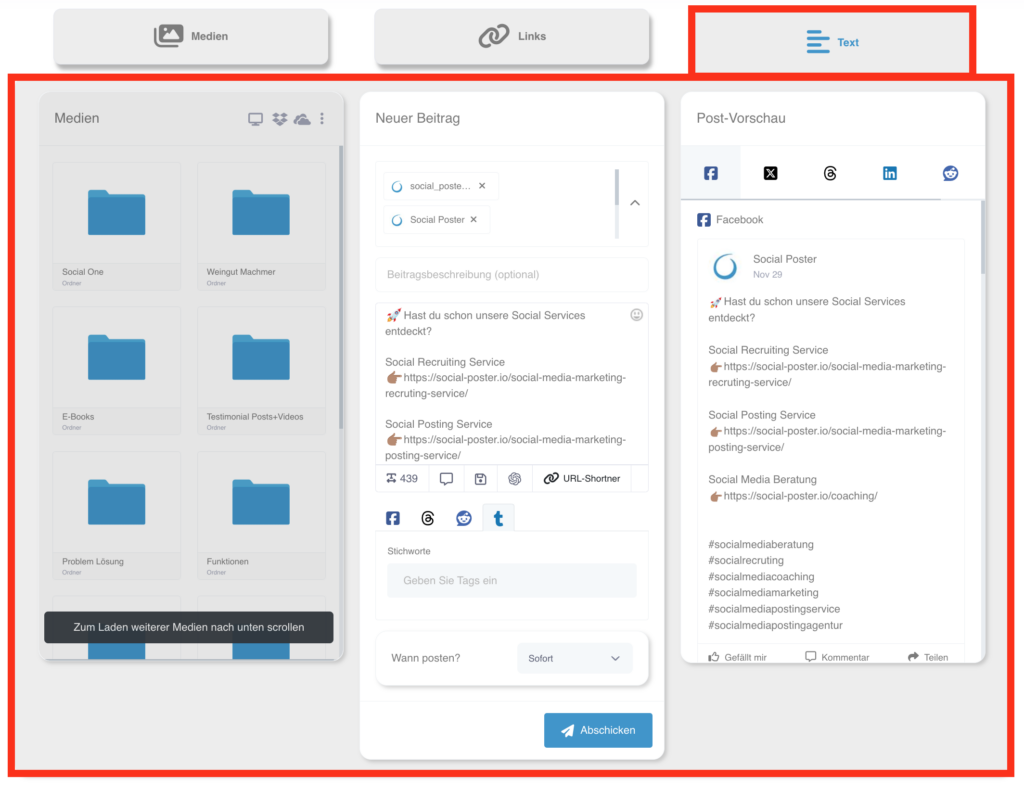
- Textpost:
- Pure text posts that don’t need pictures or videos.
- Excellent for short announcements, quotes or interactive questions to the community.
2.2 Media post
- Description:
- Use images and videos to make your content visually appealing.
- Files can be stored from your file manager, computer, or external sources (e.g. B. Dropbox, OneDrive) are uploaded.
- In addition, you have access to image and video databases such as Pixabay, Unsplash and Pexels.
- Functions:
- Post Preview: Shows you how your post is displayed on the different platforms.
- Emoji Library: Spice up your text with matching emojis.
- AI Content Generator: Generate texts that fit your image or video perfectly.
- Advanced platform options:
- Stories and reels:Customize posts to specific formats such as Instagram stories or Instagram and Facebook reels.
- Google companies:Add call-to-action buttons with link.
- Reddit:Enter title
- TikTok:Comment, duet, engraving
- YouTube:Title, category, tags
- Pinterest:Title, link
- Xing:Title, link
- Tumblr:Tags
- Benefits:
- Create visually compelling content that catches the eye and encourages engagement.
2.3 Linkpost
-
- Description:
- Posts that contain links to external content.
- The preview (title, description, image) is generated automatically.
- Functions:
- Text box: Add individual text to the link preview.
- URL shorts: Short long links to make them more engaging.
- AI integration: Write engaging call-to-actions on the link
Draw attention.
- Practical benefits:
- Share blog articles, product pages or news with your followers and
Redirect them to external sites. - The advantage here is that e.g. in Facebook the image can be clicked and the
Interested parties are led directly to the link.
- Share blog articles, product pages or news with your followers and
- Description:
2.4 Textpost
-
- Description:
- Create posts that consist only of text. Ideal for platforms where
Visual content is optional. - Supports emojis and AI content generator.
- Create posts that consist only of text. Ideal for platforms where
- Functions:
- Save frequently used texts in Text Manager and load them as needed
again. - Add hashtags to increase the visibility of the post.
- Save frequently used texts in Text Manager and load them as needed
- Important notes:
- Some platforms like YouTube or TikTok require media content.
Text posts alone are not possible here.
- Some platforms like YouTube or TikTok require media content.
- Benefits:
- Ideal for direct communication with your community, such as updates or questions.
- Description:
2.5 Contribution
- Description:
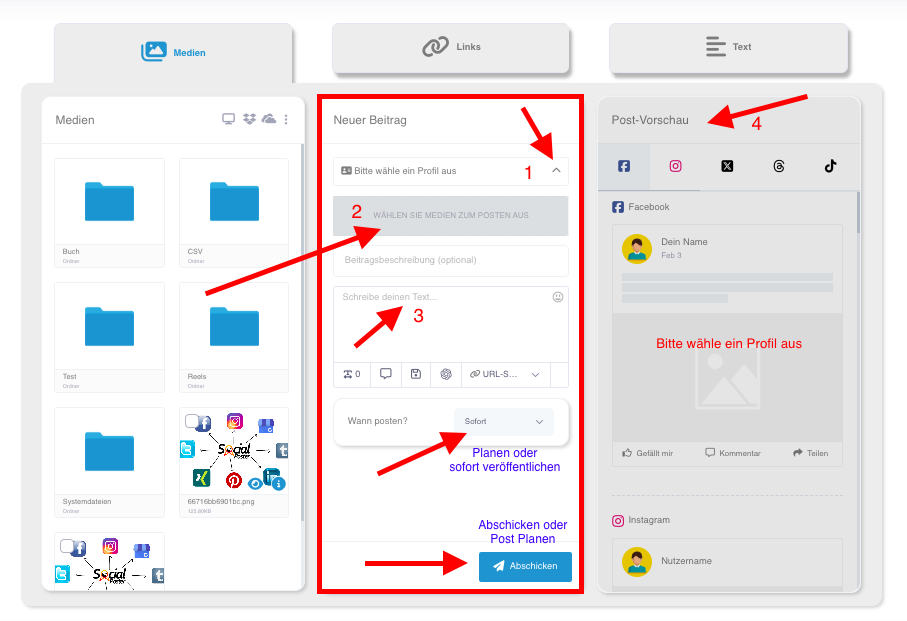
- An intuitive workflow guides you through the entire process of
contributing.
- An intuitive workflow guides you through the entire process of
- Steps:
- Select platform: Select the social media accounts on which the
post should appear. - Add media: Upload images/videos or select
Stock libraries. - Create text: Use emojis, short links, or AI for copywriting.
- Post Preview: Check how the post is on the respective platforms
is presented.
- Select platform: Select the social media accounts on which the
- Save and reuse:
- Save posts as a draft to finish later or resume
use.
- Save posts as a draft to finish later or resume
2.6 Planning and automation
- Description:
- Automate your posts to save time, and a regular
Ensure presence.
- Automate your posts to save time, and a regular
- Options:
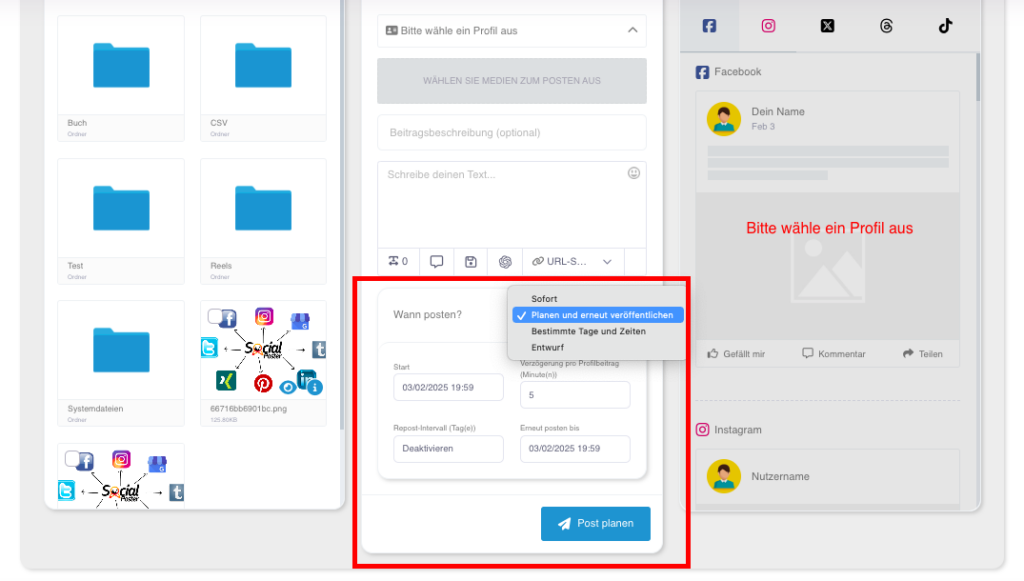
- Publish immediately: The post will be posted immediately after creation.
- Schedule: Set a date and time at which the post
should be published. - Repeats: Plan posts with specific intervals (e.g. B. All 3
Days, weekly or up to 90 days). - Preview: View scheduled posts in the calendar and edit them as needed.
- Benefits:
- Stay in control of your social media strategy without any post
You have to create manually.
- Stay in control of your social media strategy without any post
2.7 Advanced functions
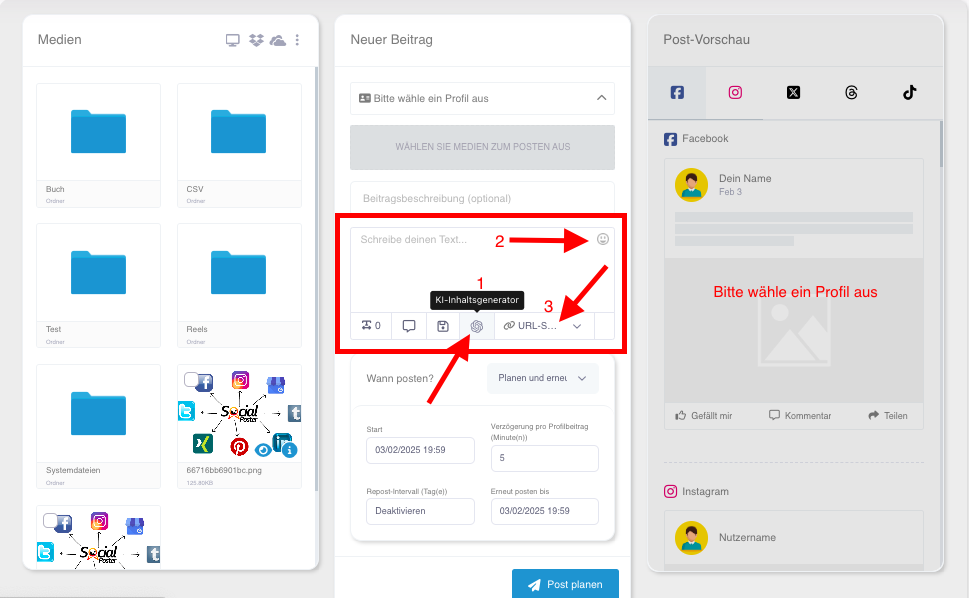
- AI-generator:
- Use artificial intelligence to create engaging and creative texts
writing. - Adjust the tone (e.g. B. humorous, inspiring) and the length.
- Use artificial intelligence to create engaging and creative texts
- Emoji library:
- Add emojis to make posts more vivid.
- URL-short:
- Use shortened links to save space and ensure a professional look.
2.8 Common use cases
- Products launches:
- Share images and videos of your new products and add them
convincing texts.
- Share images and videos of your new products and add them
- Apply events:
- Create posts with event details and links to login pages.
- Community engagement:
- Ask questions or share inspiring quotes as text posts.
- Promote blog articles:
- Use link posts to increase your blog traffic.
2.9 Benefits of the contribution function
- Flexibility:Supports all common post types.
- Efficiency:Save time through reusable content and automation.
- Creativity:Use AI and emojis to enrich your content.
- Cross-platform:Customize content to the specific needs of each
platform on.
2.10 Tips for optimal use
- Planning is everything:Use the calendar function to keep your content long-term
planning. - Variety content:Switch between text, media and link posts for variety
to create. - Use AI and tools:Let AI support you to help texts faster and
Creating more creatively. - Test formats:Analyze which post types are best for your target audience
Arrive and adjust your strategy.
This detailed description makes clear how versatile and powerful the
The post function of social poster.