Tools
The Tools section in Social Posters provides you with a number of useful tools to
Plan, organize and design your social media content more efficiently. These
Features are designed to take your posts to the next level and give you
to save valuable time.

12.1 What are the tools in social posters?
- Definition:A gathering point for various tools specially developed
The creation, management and optimization of social media posts
to simplify. - Main benefits:
- Efficiency: Complete recurring tasks faster.
- Organization: Keep track of texts, groups and
Branding elements. - Creativity: Use tools to make content unique and professional.
12.2 What tools are available?
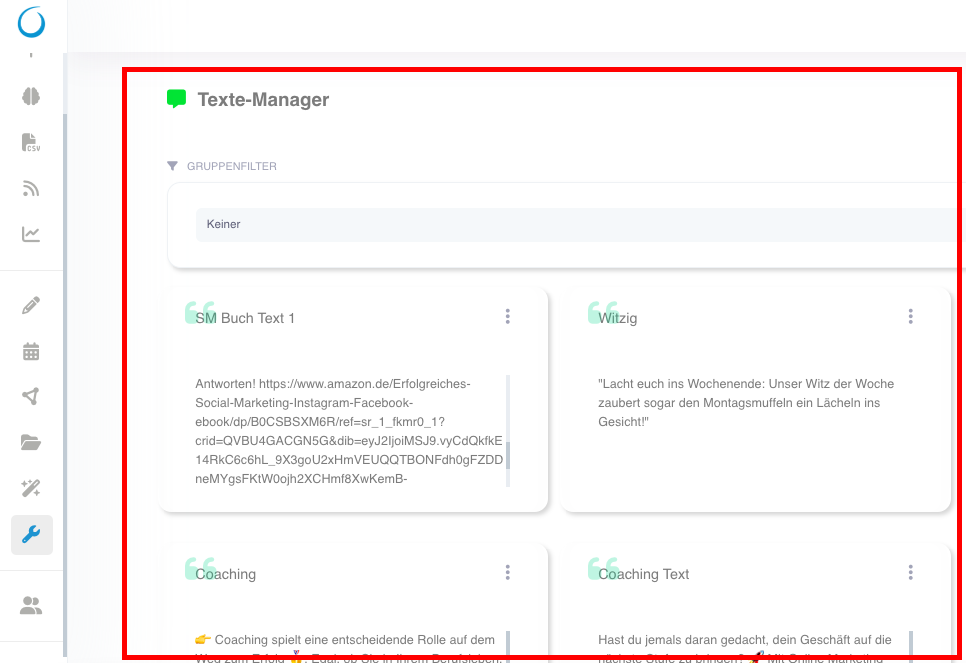
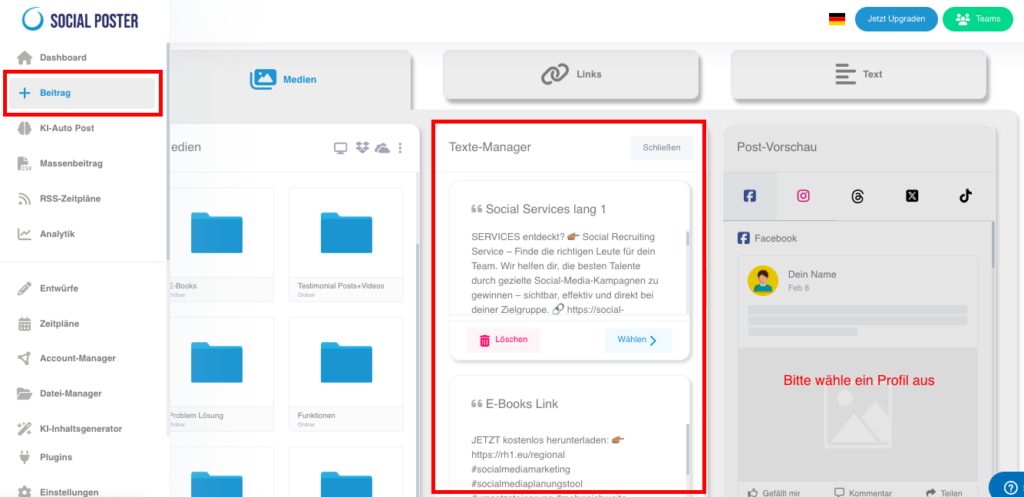
A. Text-Manager
- Description:Save frequently used texts, such as standard hashtags,
Call-to-action or replies, and reuse them if needed. - Functions:
- Categorize texts: Create categories for different types of texts
(e.g. for various companies or occasions such as Christmas, Black Friday, etc.). - Edit and update: Customize saved texts at any time.
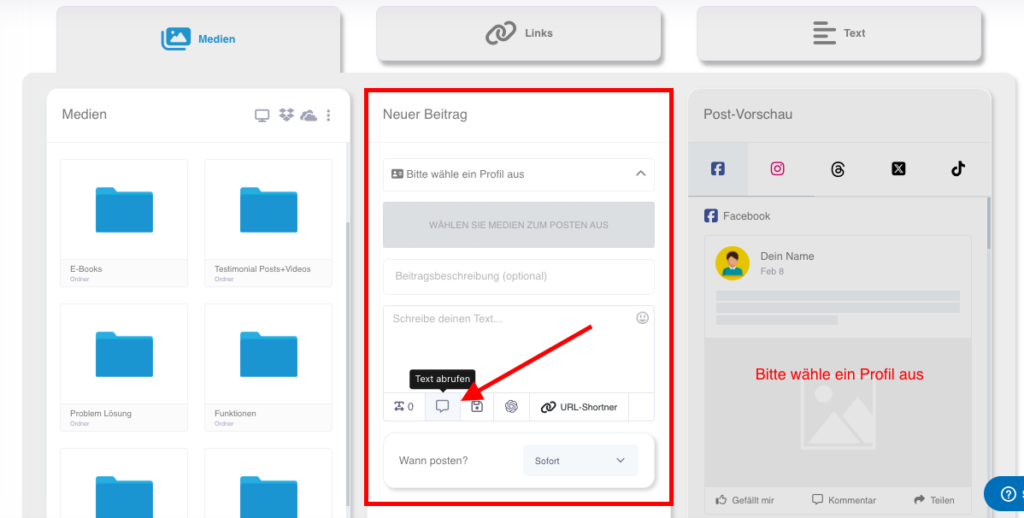
- Quick access: Load saved texts directly into the post editor.
- Create high-quality in no time with our artificial intelligence
Professional texts for your posts.
- Categorize texts: Create categories for different types of texts
- Benefits:Reduces the effort to insert the same texts manually over and over again.
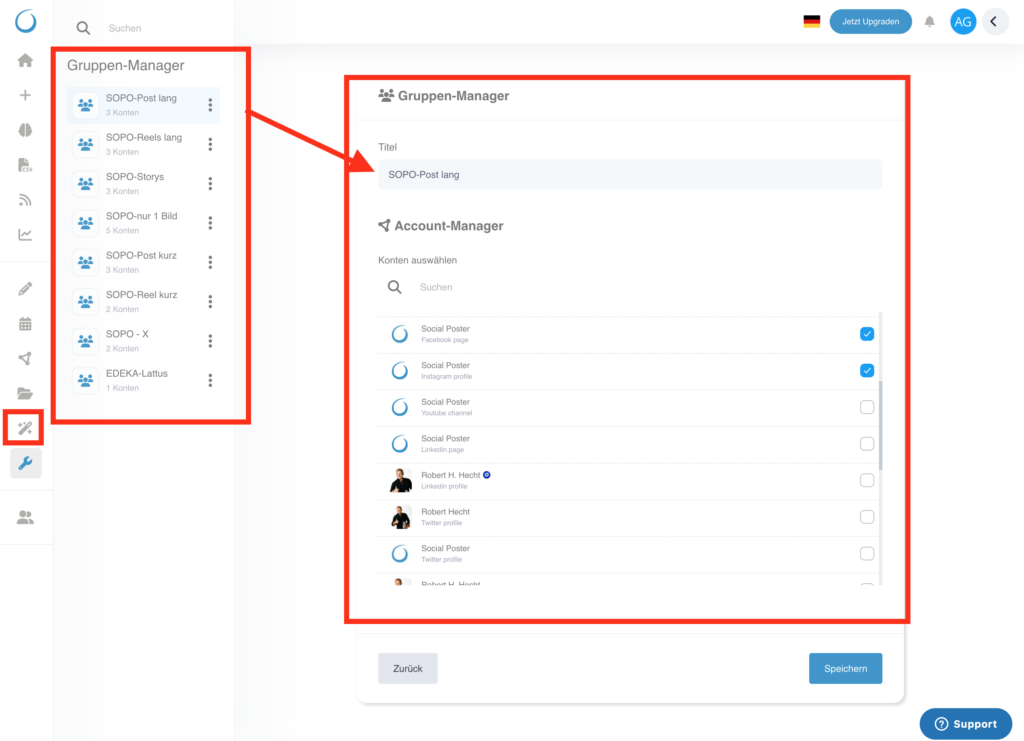
B. Group Manager
- Description:Organize your social media accounts into groups to create posts
Efficiently plan for multiple accounts simultaneously. - Functions:
- Create groups: Summarize accounts for customers, projects, or campaigns.
- Customize group names: Give meaningful names such as Christmas campaign or customer A.
- Group post creation: Schedule posts that are published simultaneously to all accounts of a group.
- Benefits:Saves time and ensures consistent campaigns across multiple channels.
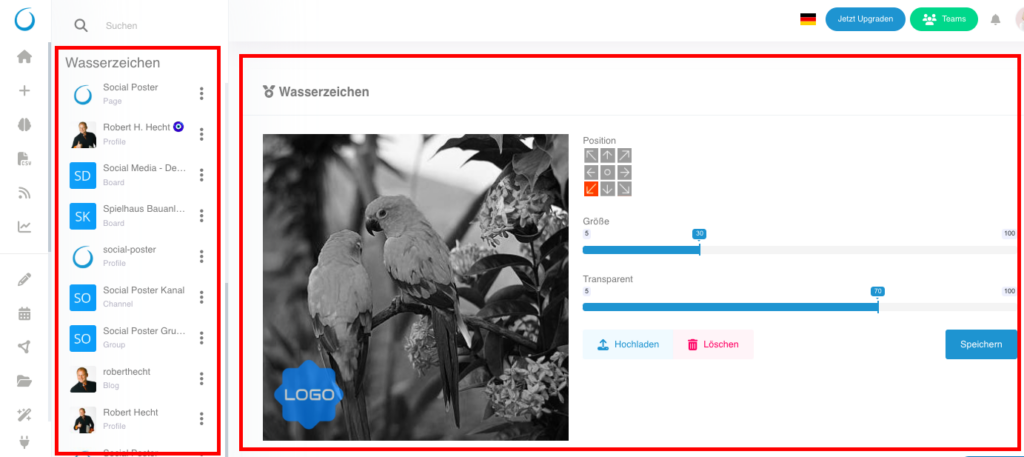
C. Watermarks
- Description:Automatically add a watermark to your images and videos
Add to protect your branding and personalize your content. - Functions:
- Logo upload: Upload your company logo as PNG or JPG to use as a watermark.
- Customization options: Flexibly adjust position, transparency and size of the watermark.
- Platform-specific: Customize the watermark for different platforms (e.g. B. Bigger logos for Instagram).
- Benefits:Protects your content from unauthorized use and strengthens your branding.
12.3 Advanced functions of tools
- Automation:
- Automatically load saved texts or watermarks into the post editor to speed up workflow.
- Fuses:
- Save versions of watermarks or texts to use for different campaigns.
12.4 Common use cases
- Save standard answers:
- Use Text Manager to save answers for common questions or standard captions.
- Campaigns bundle:
- Organize social media accounts in groups to make campaigns unified across multiple channels.
- Brand recognition:
- Use watermarks to make sure your images and videos can always be associated with your business.

12.5 Benefits of tools
- Efficiency:Automate recurring tasks to have more time for creative work.
- Professionalism:Make sure your content is consistent and brand compliant.
- Flexibility:Use the tools to customize content to different platforms and audiences.
12.6 Tips for optimal use
- Use text managers sensibly:
- Save regularly used hashtags or call-to-action to quickly insert into posts.
- Strategically use groups:
- Create groups for specific campaigns or customers to schedule posts efficiently.
- Optimize watermarks:
- Adjust the transparency and position of your watermark to be visible but not intrusive.
- Test automation:
- Combine the tools with post creation to speed up your workflow.
12.7 Frequently asked questions (FAQ)
- How many texts can I save in Text Manager?
- There is no limit, you can save and categorize any number of texts.
- Can I create multiple groups?
- Yes, you can create as many groups as you need and manage them individually.
- Will the watermark appear the same on all platforms?
- The watermark is adapted to the platform. You can make separate settings for each platform.
- Can I use watermarks for videos?
- Yes, watermarks can be added for both images and videos.
12.8 Practical examples
- E-commerce shop:Uses text manager to describe product descriptions and
Save discount codes that are used regularly. - Marketing agency:Organizes customer accounts in groups and plans
Campaigns for multiple platforms simultaneously. - A content creator:Adds watermarks to images to protect them from theft and strengthen his brand.
12.9 Benefits for companies
- Agencies:Manage texts, groups and watermarks for multiple customers
Efficient and professional. - E-commerce:Use saved texts and watermarks to keep content consistent
and design brand compliant. - Content Creator:Stay in control of your content and increase efficiency
your workflow.
The Tools section in Social Posters gives you everything you need to help your
Make content more efficient, professional and creative. With a combination of
Text management, grouping, and branding tools can help you streamline your workflow and ensure your content is consistent and high quality.